An Overview of Ink Player: The WordPress Video Player Plugin Built for Creators

Let’s talk about a well-known problem.
Every site owner needs a video player, whether for courses, product demos, tutorials, or content marketing.
Not everyone tries one because the default Gutenberg block is limited, and other visible options are either expensive or don’t ‘feel perfect’.
And videos are much more than they were ten years ago.
You can attract more visitors with the right content for the right audience. Talking about the audience, if you want to learn more about your video watch time and audience insights, a powerful player like Ink Player can perform the task best.
Ink Player is a new WordPress video player plugin built specifically to address those pain points, and this guide walks through what it is, who it’s for, and what it can do.
What Is Ink Player?
Ink Player is a WordPress plugin that gives site owners a fast, fully customizable video player without requiring any code.
It’s built natively for WordPress, meaning it integrates directly with the block editor (Gutenberg) as well as popular page builders, so you can drop a polished video player into any post, page, or layout in minutes.
Combining playback, branding, monetization, and lead generation in a single plugin, Ink Player positions itself as a growth tool rather than functioning as a simple video player plugin.
Who Ink Player Is Built For
Ink Player is designed around real-world video use cases rather than a one-size-fits-all player. It’s built to support:
Online course creators: distraction-free playback with LMS integrations for platforms like LearnDash, TutorLMS, and LifterLMS.
Product and SaaS teams: clean product demo embeds without third-party branding slowing down sales pages.
Tutorial and documentation sites: mobile-friendly, easy-to-navigate video walkthroughs.
Podcasters: reliable long-form playback for audio and video podcasts and recorded sessions.
Bloggers and vloggers: ad-free, on-brand video presentation for personal or content sites.
Businesses: internal training, onboarding, and company-wide video communications.
Core Features
Ink Player’s feature set is aimed at turning passive video views into measurable engagement and revenue:
Muted Autoplay
It grabs attention immediately on landing pages and blog posts. There are a lot of controls available for you under playback settings.
Lead Capture
Gate video content with email opt-in forms placed anywhere in the timeline. When customers give their emails, take them to your favorite mail providers for further communication.
Custom CTAs
Add clickable calls-to-action at specific timestamps and place a link there to achieve whatever it is. For a special offer or an important blog post, you can use this CTA.
Chapters
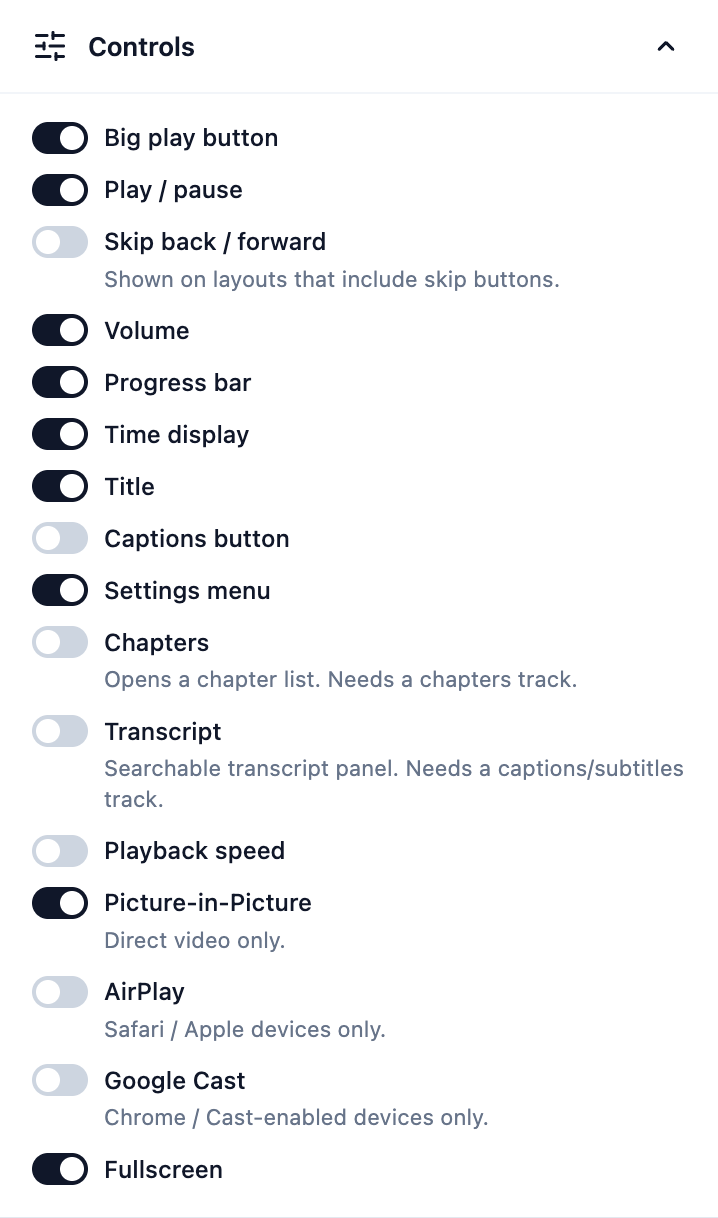
Let viewers jump directly to relevant sections with the chapter feature. It also helps users to decide what to consume.
White-Label Branding
Gain full control over colors, logos, and player styling and make the player your own. It can completely reflect your brand’s personality.
Ad Monetization
This is an amazing opportunity, especially when you decide to earn beyond third-party platforms, like YouTube. The ad feature has support for pre-roll, mid-roll, and post-roll ads.
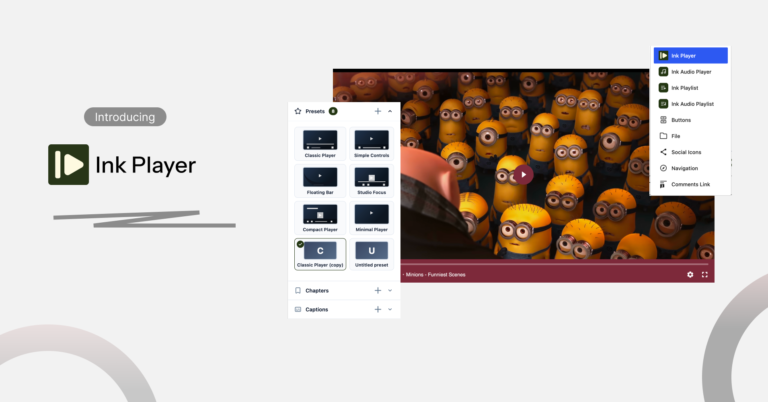
The plugin also ships with multiple pre-built player skins — including Classic, Simple Controls, Floating Bar, Studio Focus, Compact, and Minimal — so the player can match your site’s design out of the box, or be customized further.
Analytics
If you stay in the dark about your content performance, you cannot continue with what’s working best and vice versa.
But, think what? You’re with a good company.
Ink Player will help you get valuable insights for the media you serve through your website.
The built-in analytics comes with dozens of metrics to provide you with the nitty-gritty details.

Supported Video Sources
Ink Player isn’t locked to a single hosting method. It supports multiple data sources to play your media at ease:
- Self-hosted video files
- YouTube (including playlist imports)
- Vimeo (including playlist imports)
- Bunny Stream
- Amazon S3
- Cloudflare Stream
- Other direct MP4/HLS sources
This flexibility means you can start with YouTube embeds and later migrate to a dedicated CDN like Bunny or Cloudflare Stream without switching plugins.
Integrations
One of Ink Player’s stronger selling points is breadth of integration. 18 in total, spanning video hosting, analytics, marketing, LMS, and automation tools, including:
- Video/CDN: YouTube, Vimeo, Bunny.net, Cloudflare, MUX
- Analytics: Google Analytics
- Email marketing: Mailchimp, MailerLite, ActiveCampaign, FluentCRM
- LMS: LearnDash, TutorLMS, LifterLMS
- Page builders: Elementor, Beaver Builder
- E-commerce: WooCommerce
- Automation: Webhooks, AutomatorWP
How It Works
Ink Player is built around a simple three-step workflow:
- Add Your Video — upload from your media library or embed from YouTube, Vimeo, or a self-hosted source
- Customize the Player — set colors, add CTAs, configure chapters, and enable lead capture
- Embed & Publish — copy the shortcode or use the Gutenberg block to place it anywhere on your site
No custom code is required at any step, and the plugin is compatible with most modern WordPress themes.
Pricing
Ink Player is offering a lifetime pricing model rather than a recurring subscription for a limited time:
|
Plan |
Price |
Websites |
Includes |
|---|---|---|---|
|
Starter |
$149/lifetime |
1 |
All features, lifetime updates, YouTube/Vimeo playlists, Bunny & Mux integrations |
|
Pro (Most Popular) |
$299/lifetime |
10 |
Same as Starter, across 5 sites |
|
Agency |
$499/lifetime |
30 |
Same as Starter, across 30 sites |
All tiers include the full feature set — the difference is purely the number of licensed websites, which makes the Pro and Agency plans well-suited for freelancers and agencies managing multiple client sites.
Migration and Data Portability
For site owners already using another video player plugin, Ink Player includes built-in migration tools designed to move existing setups over with minimal manual work — reducing one of the biggest friction points when switching video plugins.
Why It Matters
Video plugins are often treated as an afterthought, but the right one directly affects:
- Page speed and Core Web Vitals — bloated players slow down the pages they sit on
- Viewer retention — a distraction-free, branded player keeps people watching
- Conversion rates — CTAs, lead capture, and chapters turn views into actions
- Monetization — built-in ad support means you don’t need a separate ad plugin
Ink Player consolidates these needs into a single WordPress-native plugin, rather than requiring site owners to stitch together a video host, an analytics tool, a lead-gen form plugin, and an ad manager separately.
Final Thoughts
Ink Player is positioning itself as a full-featured growth tool that helps entrepreneurs to get more engagement via their content.
With a particular focus on engagement (CTAs, chapters, lead capture) and monetization (ads), Ink Player gives you the power that you need alongside solid playback fundamentals across a wide range of video sources.
For WordPress site owners who want more than a bare-bones embed, it’s worth a closer look — especially given the lifetime pricing model.