Ink Player vs Presto Player – Who Wins?
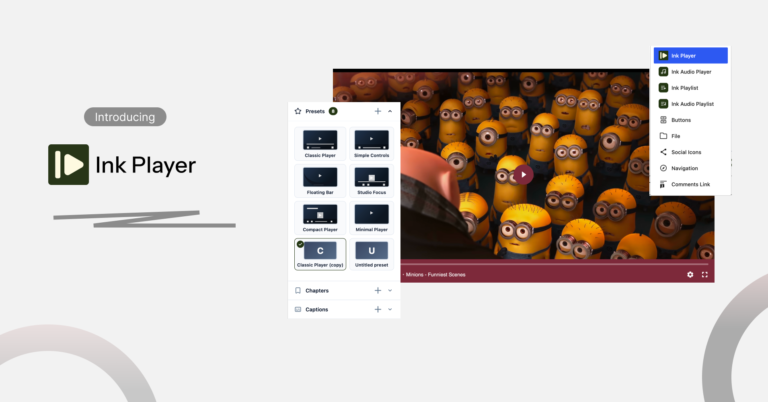
We’re pretty excited about Ink Player?
Are you?
Well, you’ll definitely be after reading this comparison between Ink Player and Presto player.
While Presto is a popular choice for WordPress video player plugins, Ink Player has introduced itself as one of the most powerful tools for course creators and online business owners.
It’s not about who comes first. It’s all about who offers the most useful features without breaking your bank.
Presto Player has been the go-to choice for years, with a decent user base and a proven track record.
Ink Player is the newer option, built to match Presto Player feature-for-feature and go further in a few key areas. Here’s how they actually compare.
Feature comparison at a glance
Ink Player and Presto Player agree on the basics. Both offer custom branding, an audio player, email capture, video analytics, chapters, and playlist support.
The gap opens up around lead generation, monetization, and playlist handling, where Ink Player adds capabilities Presto Player doesn’t currently offer.
|
Feature |
Ink Player |
Presto Player |
|---|---|---|
|
Custom branding |
Yes |
Yes |
|
Audio player |
Yes |
Yes |
|
YouTube playlist import |
Yes |
No |
|
Vimeo playlist import |
Yes |
No |
|
Email capture |
Yes |
Yes |
|
Form layers |
Yes |
No |
|
Hotspot / ad / shortcode layers |
Yes |
No |
|
Google Ads (VAST) |
Yes |
No |
|
Timed content |
Yes |
No |
|
Embed video |
Yes |
No |
|
Embed playlist |
Yes |
No |
|
Video chapters |
Yes |
Yes |
|
Subtitles / captions |
Yes |
Yes |
|
Video analytics |
Yes |
Yes |
Presto Player still covers the essentials well. But if playlist import, VAST ads, or timed content matter to your workflow, Ink Player currently has the edge.
Lead generation and monetization
Both plugins let you capture emails through video. Ink Player goes a step further with form layers that can appear at any point in the timeline, not just before or after playback.
Monetization is the sharper contrast. Ink Player supports Google Ads through VAST, plus hotspot, ad, and shortcode layers you can place directly on the video.
Presto Player doesn’t list built-in ad support as a feature. If turning video views into ad revenue is part of your plan, that’s a real gap in Presto Player’s toolkit.
Video sources and CDN delivery
Both players support self-hosted video, YouTube, Vimeo, and Bunny.net. Both also work with premium CDN delivery and multiple media sources at once, so switching hosts later shouldn’t mean switching plugins.
Ink Player also supports MUX and Cloudflare for streaming on top of Bunny. With Presto, you have to depend only on Bunny.net for live streaming.
The difference shows up in playlists. Ink Player can import full YouTube and Vimeo playlists directly into WordPress, turning existing channel content into on-site galleries without re-uploading anything.
Presto Player doesn’t currently offer playlist import, so you’d need to add videos one at a time.
Page builders, CRM, and LMS support
Both works from the Gutenberg editor while Ink Player feels more native. Both have multiple Gutenberg blocks for several functions although Ink Player’s blocks are more functional.
Ink Player and Presto Player both have integration with Elementor, along with Mailchimp, MailerLite, ActiveCampaign, and FluentCRM for email marketing. Both connect to LMS platforms for course delivery.
What’s worth to mention here is Ink Player natively integrates Beaver Builder while Presto Player does not.
Migrating from Presto Player
Switching plugins usually means re-embedding every video by hand. Ink Player avoids that with a built-in migration tool specifically for Presto Player users, designed to carry over existing video setups with minimal manual work.
This lowers the switching cost significantly if you’re already running Presto Player and want to move to Ink Player’s advanced features like ad monetization, playlist import, or MUX integration.
Pricing
This is where the two plugins split paths. Presto Player has a pricing model with $79/year for one site, or $119/year for 25 sites. A lifetime option exists too, priced at $399 for 25 sites, with a three-installment split-pay plan.
Ink Player offers lifetime licenses for the launch:
- Starter — $149/lifetime, 1 site
- Pro — $299/lifetime, 5 sites
- Agency — $499/lifetime, 30 sites
Every Ink Player tier includes the full feature set. The only variable is site count. For a single site held long-term, Ink Player’s lifetime fee beats Presto Player’s yearly renewal after about two years. For agencies, compare total sites per dollar directly against your client count.
How to switch from Presto Player to Ink Player
Switching doesn’t mean starting over. Ink Player has a built-in importer for Presto Player (free and Pro). It brings over your media with its chapters, captions, overlays, CTAs, email gates, and ads, plus your presets, playlists, collected emails, analytics history, webhooks, and settings, including provider keys.
The import adds to your library without changing anything else. It never touches Presto Player or your page content. If you change your mind, Undo import reverses it completely.
- Install Ink Player on a site that still has Presto Player active.
- Open Ink Player → Settings → Migration. This section appears only while Presto Player is active.
- Run the import. It can resume if it’s interrupted.
- Review the list of pages that still use Presto embeds. Ink Player shows a ready-to-use replacement for each one.
- Swap in the new embeds, using the Ink Player block or the shortcode.
- Deactivate Presto Player only after every page uses the new embeds.
Good to know: Presto Player didn’t store watch percentage, so imported history shows a 0% completion rate. New views track completion normally.
Migration checklist
- Back up your site
- Note your Presto provider keys (Bunny.net, Mailchimp, and others) in case you need to re-check them
- Install and activate Ink Player
- Run the import from Settings → Migration
- Spot-check 3 imported videos for chapters, captions, and overlays
- Replace each page on the re-embed list
- Run Test connection on each integration
- Turn on Ink Player analytics if you want built-in stats
- Deactivate Presto Player
Which one should you choose
Presto Player has a track record with a set of good features. And they have a free version, as well, although the essential features are locked behind a paywall.
Ink Player, on the other hand, is a relatively new plugin in the market. But it offers a sleek player with lots of presets and extended controls.
Not to mention multiple media sources, ad monetization, playlist import, timed content, and powerful integrations help Ink Player stand out.
If you’re a Presto Player user, let’s migrate to a better, smarter, and smoother player.